Quick Answer:
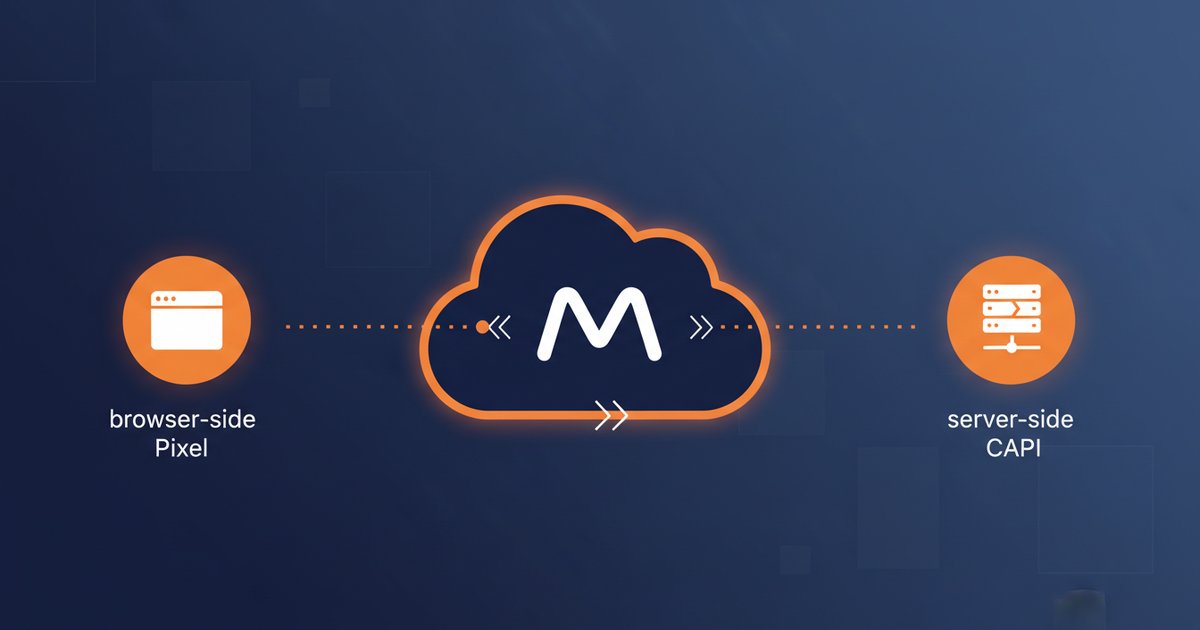
The Meta Pixel is JavaScript that runs in the user's browser; the Conversions API (CAPI) is server-side code that sends events directly to Meta. After iOS-14 the Pixel alone captures only 60 to 70 percent of real conversions. The 2026 standard is running both together with event-level deduplication — it recovers 25 to 40 percent of lost conversions and drops cost per acquisition by 15 to 30 percent.
Key Takeaways:
- What each does: the Pixel is JavaScript that fires from the browser when a user clicks, subscribes, or buys; the Conversions API is server code that sends those same events directly from your backend to Meta — more reliable, more private, and resistant to blockers.
- Why both together in 2026: iOS-14 and cookie blocking cut 30 to 40 percent of Pixel-only tracking. Combining both with
event_iddeduplication recovers most of those lost conversions. - Real MerchandisePROS campaign data: our own Reel boost from June 8-13, 2026 spent $29.88, generated 538 clicks, 10.57 percent CTR (10 to 20 times the industry average), and $0.055 CPC (9 to 36 times cheaper than benchmark). Pixel is live (ID 956145610517687) and CSP was fixed on June 28 to unblock connect.facebook.net.
- CSP requirements: your Content-Security-Policy must allow
connect.facebook.netinscript-srcandconnect-src. If your site has a restrictive CSP (common with Cloudflare Transform Rules), the Pixel silently fails — no events register and your Ad Manager shows zero events despite real traffic. - The most expensive mistake: running only the Pixel and skipping CAPI. Campaigns operate on partial data, Meta optimizes with incomplete tracking, and CPC rises 30 to 50 percent. Accounts with both sides measuring (browser + server) consistently report lower cost per conversion.
What the Meta Pixel Is (In Simple Terms)
The Meta Pixel is a JavaScript snippet you place on every page of your site. When a user visits a page, that code executes in their browser and sends an event (PageView, Lead, Purchase, AddToCart) to Meta's servers. Meta uses those events for three things: measure ad effectiveness, build custom audiences, and optimize delivery of future campaigns.
The Pixel was sufficient until April 2021, when Apple launched iOS 14.5 with App Tracking Transparency. From that moment, iPhone users had to give explicit permission to be tracked — and most do not. The result: Meta stopped receiving 30 to 40 percent of the events the Pixel would have reported.
What the Conversions API (CAPI) Is
The Conversions API is Meta's answer to Pixel tracking loss. Instead of depending on the user's browser, CAPI sends events from your server directly to Meta's servers. The user never sees the code, ad blockers cannot stop it, and browser privacy settings do not affect it.
Technically: when a customer completes a form on your site, your backend receives that data. CAPI takes that data server-side (with appropriate hashing for privacy) and sends it to Meta along with an event identifier (event_id) that matches what the Pixel tried to send from the browser.
Meta then deduplicates: if it receives the same event_id from both Pixel and CAPI, it counts it once. If it receives only one (because the Pixel was blocked or CAPI did not fire), it still counts it. That is the point: smart redundancy.
Why Both Together Is the 2026 Standard
The practical argument:
- Pixel only: 60-70 percent real coverage.
- CAPI only: 85-95 percent coverage but misses some browser signals (UTM, viewport).
- Both with deduplication: 95-99 percent coverage + browser and server signals.
When Meta has more complete data to train its algorithm, delivery optimization improves. Your CPM may stay the same, but your CPC and CPA drop because Meta serves your ads to people with higher conversion probability.
Accounts that migrate from Pixel only to Pixel + CAPI typically report 15 to 30 percent reduction in cost per acquisition after 14 to 21 days, according to aggregated Meta data and our own observations on client campaigns.
Real Data From a MerchandisePROS Campaign
In June 2026 MerchandisePROS ran its first Reel boost — a small five-day market test with $30 total budget. The results were:
Reel Boost — US Latino · Jun 8-13 2026:
- Total spend: $29.88
- Clicks: 538
- Reach: 4,246 people
- CTR: 10.57 percent (industry average 0.5 to 1.0 percent)
- CPC: $0.055 (industry average $0.50 to $2.00)
- Best placement: Instagram Reels ($0.037 CPC)
- Best age band: 55-64
The Pixel ID that recorded these events is 956145610517687 — visible in the source of the free audit page. The campaign ran with Pixel only; CAPI was not yet enabled. After that campaign we detected that a Cloudflare Transform Rule was injecting a restrictive Content-Security-Policy that blocked connect.facebook.net. Despite 538 clicks, Ad Manager showed zero Pixel events. The CSP blocker was identified on June 28, removed, and the .htaccess CSP header updated to allow connect.facebook.net in script-src and connect-src.
The practical lesson: even with the Pixel correctly installed, a misconfigured CSP can silently break all tracking. CAPI would have captured server-side events during that Pixel failure window — that is why both together is the standard.
Content-Security-Policy (CSP) Requirements
If your site uses CSP — and every modern site should — the Pixel needs specific permissions to work. The minimum policy that allows Pixel + CAPI without breaking security:
Required CSP directives:
script-src 'self' 'unsafe-inline' https://connect.facebook.netconnect-src 'self' https://www.facebook.com https://connect.facebook.netimg-src 'self' data: https://www.facebook.com
If you use Cloudflare with Transform Rules, check that no rule is overwriting your CSP with a restrictive version. This scenario cost us two weeks of tracking at MerchandisePROS until we detected it. Once identified, removing the Cloudflare rule and updating .htaccess took 15 minutes.
Recommended 2026 Setup Summary
For a local business with a modest budget that wants reliable tracking:
1. Install the Pixel via Meta Tag Manager. Generate the code in Ads Manager → Events Manager. Paste the base snippet on every page between <head>. Configure standard events (PageView automatic; Lead, Contact, ViewContent manual as needed).
2. Verify CSP does not block Meta. Open the browser inspector → Network → look for requests to facebook.com. If you see red errors, adjust CSP.
3. Enable Conversions API through one of three paths: direct CMS integration (native Shopify, WooCommerce), Meta's Gateway (easiest, hosted by Meta), or custom backend implementation sending events via HTTPS POST to the Graph API endpoint.
4. Implement deduplication. Each event must be sent with an identical event_id from Pixel and CAPI. Meta combines them automatically.
5. Validate in Events Manager. After 24 hours, check Events Manager → Diagnostics. Each event should show high Match Quality (7+/10) and working deduplication (you should see Browser + Server events with match).
The Most Common Mistakes
After auditing dozens of Pixel installations on real accounts, these are the five mistakes we see repeatedly.
1. Pixel installed but CSP blocks it. The most expensive because Ad Manager shows zero events and you assume nobody converts when in fact they do but events never reach Meta.
2. CAPI never enabled. After iOS-14, skipping CAPI leaves 25 to 40 percent of real conversions on the table.
3. Inconsistent event_id. If Pixel and CAPI send the same event with different identifiers, Meta counts it twice and your report is artificially inflated.
4. Events too generic. Configuring only PageView misses the opportunity to optimize for specific conversions (Lead, Purchase, AddToCart). The algorithm cannot optimize what it does not see.
5. No post-install validation. The Pixel is installed once and assumed to work forever. When the site, theme, CMS, or plugin changes, the Pixel can break silently.
When You Need Professional Help
Configuring Pixel alone is a 30-minute task. Adding CAPI with correct deduplication is a 4 to 8 hour project depending on site complexity. Diagnosing why an apparently well-installed Pixel does not capture events can take longer if you do not know where to look.
MerchandisePROS audits Pixel + CAPI installation as part of the free AEO/SEO audit. If findings show incomplete tracking, we can quote correct configuration as a separate project. For clients who already have ad segmentation (check our public segmentation sample), the next step is ensuring tracking works before investing.
Frequently Asked Questions
Do I need CAPI if my business is small?
Yes. The argument against CAPI is usually technical complexity, not business size. A local clinic spending $400 monthly on Meta can recover $100 to $160 in lost tracking with well-configured CAPI. The initial investment (4 to 8 hours of setup) is recovered in the first month.
Can I use CAPI only without the Pixel?
Technically yes, but you lose browser-side data useful for deduplication and match quality (UTM, viewport, browser fingerprint). The 2026 standard is both together with event_id deduplication.
How long does it take to set up Pixel + CAPI?
Pixel alone: 30 minutes to 1 hour. CAPI + deduplication: 4 to 8 hours depending on the CMS (Shopify and WooCommerce have native integrations; custom WordPress or static sites require more work). Total: 1 working day for an experienced technician.
Can my Cloudflare be blocking the Pixel?
Yes, and this is one of the most common issues. Cloudflare Transform Rules can inject a restrictive Content-Security-Policy that blocks connect.facebook.net. Fix: review Rules → Transform Rules and remove any rule that overwrites CSP, then configure correct CSP in .htaccess or server headers.
How do I verify the Pixel is working?
Three tools: (1) Meta Pixel Helper for Chrome, (2) Events Manager → Test Events in your Ads account, (3) Browser inspector → Network → filter by facebook.com. All three should show events firing as you navigate your site.
What is the average Meta CPC in 2026 for a local business?
For local services in the U.S., average Meta CPC ranges from $0.50 to $2.00 depending on industry and placement. Our own test campaign in June 2026 reached $0.055 — 10 to 36 times cheaper than the average — by using Reels instead of Feed, age 45-64, and manual placement.
"The Pixel alone gives you half the picture. CAPI gives you the other half. Accounts running both are the ones that truly understand which ads generate sales and which only generate noise."
Diego Medina F., Founder of MerchandisePROS